Have Not Found Any Log File For Sshd Jail: Fail2Ban



Fail2Ban is an essential tool for protecting servers against brute force attacks. However, errors like “Have not found any log file for sshd jail” can occur if configurations or log files are not properly set up. In this article, you’ll learn how to identify and resolve this issue step by step.

What Causes This Error?
This error occurs because Fail2Ban cannot find the log file configured for the sshd service. Common reasons include:
- Incorrect or missing log file.
- Logging service (e.g.,
rsyslog) is disabled or not installed. - Misconfiguration in
jail.local.
Steps to Resolve the Issue
1. Check the Configuration File
Open the Fail2Ban configuration file and ensure the sshd jail is set up correctly:
Ensure the logpath parameter points to the correct file. For Ubuntu-based distributions, the default file is:
Save your changes and close the editor.
2. Confirm the Log File Exists
Check if the /var/log/auth.log file exists:
If the file is missing, the logging service responsible for generating it might be inactive or not installed.
3. Check the Status of rsyslog
On most distributions, the rsyslog service generates authentication logs. Verify if it is active:
- If it is inactive, start and enable it:
- If the service is not installed, install it using:
After installation, restart related services:
4. Configure Fail2Ban to Use journald (Optional)
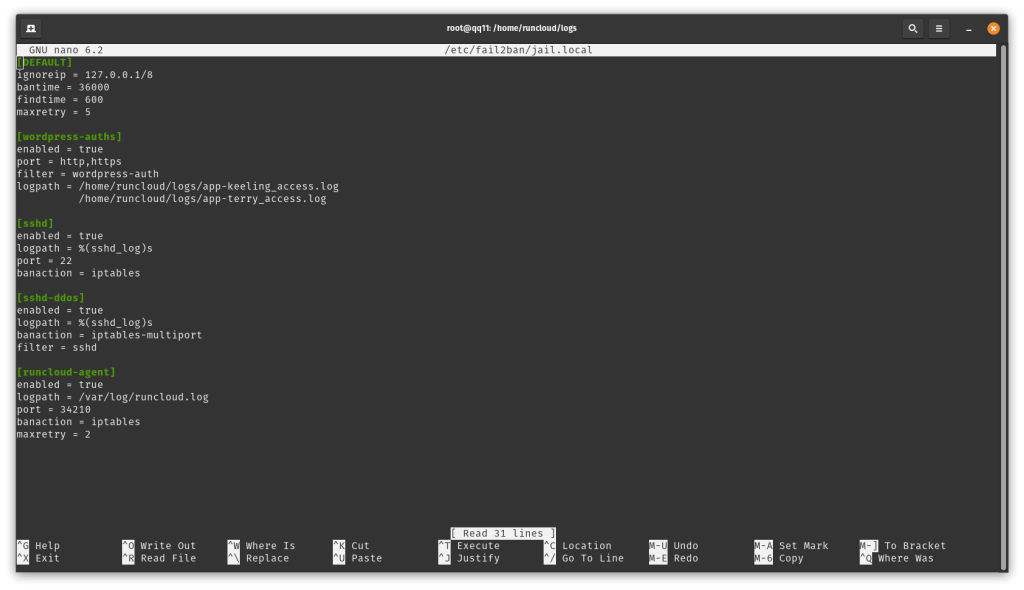
If you prefer to use journald instead of rsyslog, modify Fail2Ban to read logs directly from systemd:
Edit the jail.local file:
Update or add the following configuration:
Save the file and restart Fail2Ban:
5. Verify and Adjust Fail2Ban Settings
Ensure the settings in jail.local are correct:
Restart Fail2Ban:
6. Check Fail2Ban Logs
If the issue persists, review Fail2Ban’s logs for detailed error information:
7. Test the Configuration
Test Fail2Ban’s configuration to ensure there are no syntax errors:
8. Verify the Final Status Fail2Ban
After applying the changes, restart and check Fail2Ban’s status:
Additional Notes Fail2Ban
- If you are using a custom logging setup for SSH, ensure the log file’s location is updated in both
/etc/fail2ban/jail.localand your logging service configuration (rsyslogorsyslog-ng). - If the issue persists, consult the official Fail2Ban documentation or seek help in community forums for your Linux distribution.
Conclusion
While this error may seem complex, following these steps will help you resolve it effectively. Double-check your logging services, adjust Fail2Ban’s configuration, and test your setup thoroughly. If you need additional assistance, don’t hesitate to contact us!